
On this page
What ecommerce marketing is
A store differs from other sites in three ways that shape all of it. It has many similar pages, products and categories built from the same templates, so mistakes repeat. Every visit can be measured in revenue, so guessing is expensive. And most shoppers compare, so the store that is easiest to find, trust and buy from wins the sale even at the same price.
Being found
Store SEO starts with the structure. Categories should match how people search, with a clear page per category and per product, each with its own title and description. Product pages need descriptions written for the product, not copied from the manufacturer, which every other store selling it has too.
Filters are the classic store problem.
Color, size, price and sort options can turn one category into thousands of addresses. Google spends its visits on them and may show a filtered view instead of the category you want. Decide which filtered views are worth ranking and give them proper pages; point the rest at the main category with a canonical tag.
Product structured data (schema.org’s Product, with price, availability and reviews) makes product pages eligible for richer results. Merchant listings in Google can also come from a Merchant Center feed, and the two should agree.
Converting
Product pages. Real photos from several angles, the price and delivery cost before checkout, stock status, returns in plain words, and reviews. Answer the questions a shopper would ask a person in the shop.
Speed. Shoppers on phones leave slow pages. The images on product and category pages are usually the heaviest part, so size them properly, give them dimensions, and load the main image first.
Checkout. Guest checkout, as few fields as possible, the payment options your customers expect, and no surprise costs at the last step. Every extra step loses some shoppers.
Trust. A secure checkout, clear contact details, real policies and reviews. For a store people don’t know yet, these decide whether they risk the first order.
Selling beyond your own site
Google Shopping and free listings. Products from a Google Merchant Center feed can appear in Shopping ads and in free product listings across Google. The feed’s titles, prices, availability and images decide how well they show, and they must agree with your product pages, or Google can disapprove the products.
Social and marketplaces. Facebook, Instagram, TikTok and Pinterest can all show your catalog as shoppable posts and ads, built from a product feed much like Google’s. Marketplaces such as Amazon and eBay bring buyers who already intend to purchase, at the cost of fees and of owning less of the customer relationship.
Your own list. Shoppers who’ve bought once are the cheapest to sell to again. Order confirmations, abandoned cart reminders and occasional offers to past customers often earn more per message than any ad. Our email marketing page covers the setup.
Keeping the catalog healthy
Stores change every week, and each change can create a search problem.
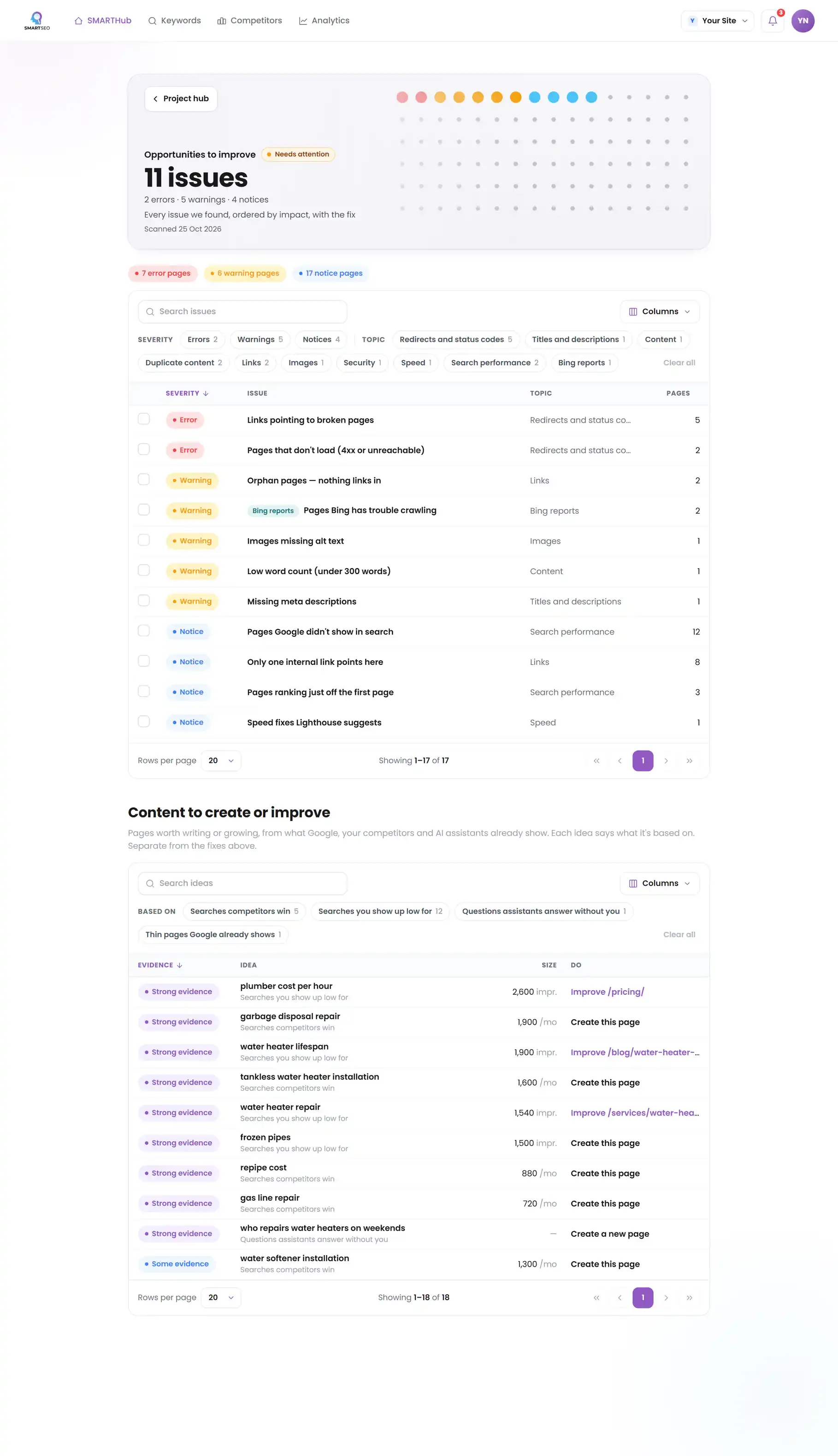
Example for illustration; not a client's data.
Templates repeat mistakes across every product. A missing price in the structured data, an image without dimensions, or a description field left empty affects hundreds of pages at once, so check a few products from each template after every theme or plugin update.
Measuring
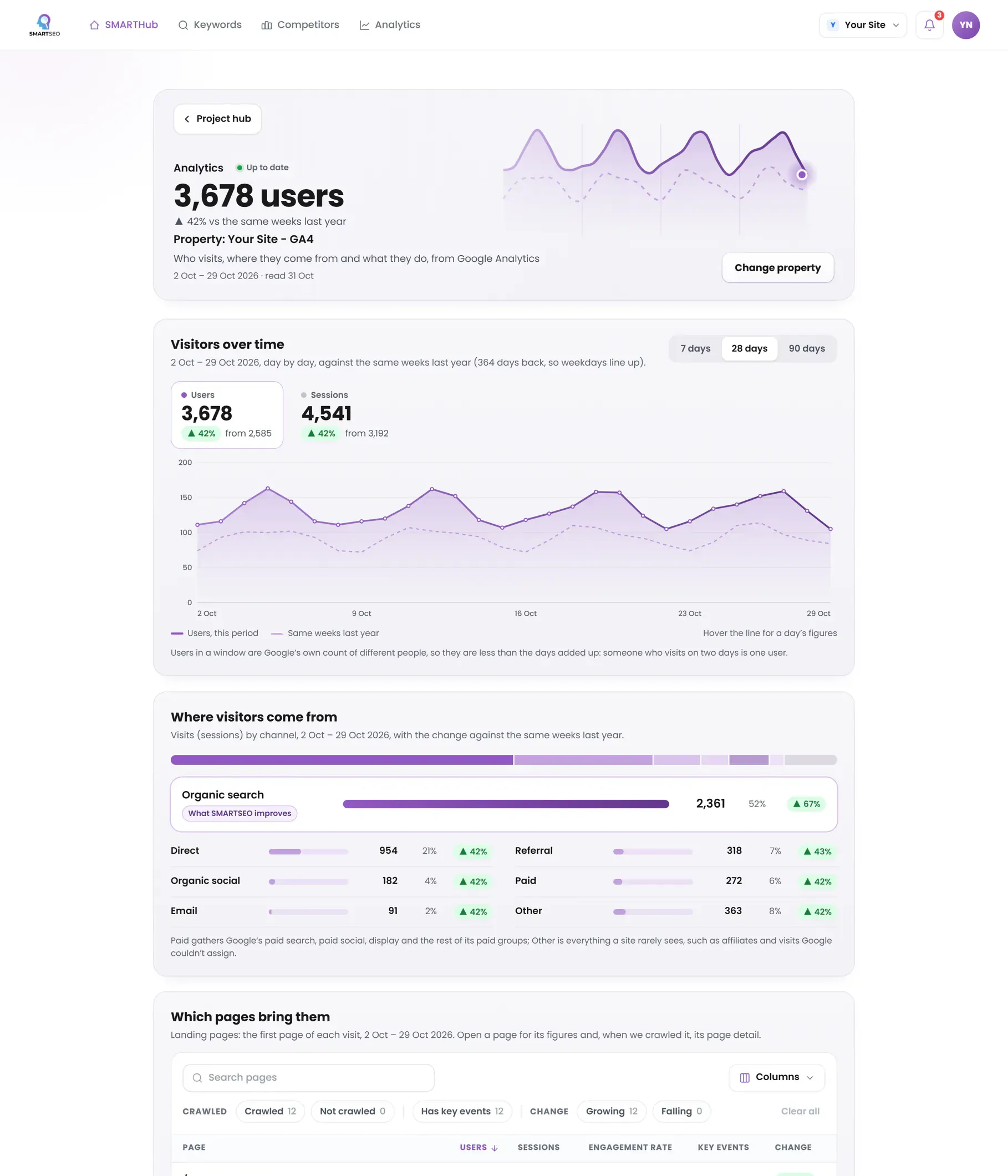
A store’s analytics should answer: which channels bring shoppers who buy, where in the funnel they drop out, and which products earn the most. That needs Google Analytics 4’s ecommerce events sent correctly, with the items and values attached, and conversion data passed to your ad platforms so their bidding aims at revenue. Our GA4 page goes into the setup.
How to check it yourself
- Search for your products.
Search Google for one of your products by name, then for its category without your brand. Note where you appear and what the result shows: price, rating, stock.
- Test a product page.
Paste a product page into Google's Rich Results Test to see which rich results it is eligible for.
- Check out on your phone.
Add a product to the cart on your phone and check out as a guest, timing it and counting the fields.
- Open the monetization reports.
In Google Analytics, open the monetization reports. If they're empty while your store takes orders, ecommerce tracking isn't set up.
SMARTSEO checks every page it reads for structured data that’s missing or broken, duplicate pages, parameter-heavy addresses and broken pages, measures your homepage’s speed, and with Google Analytics connected shows your visits and sales. When a site sells online but sends no ecommerce events, the SMARTSEO Score marks it, so the gap is never silent.
The problems we find most often
Each of these is a check SMARTSEO runs on every scan, in the words the app uses. Open one to see what triggers it and how to fix it.
NoticeMissing schema markup
- What triggers it
- A page carries no structured data at all.
- Why it matters
- Structured data helps Google verify Authoritativeness and can earn rich results.
- How to fix it
- Add Organization and Breadcrumb schema site-wide, plus Article or FAQ schema on the relevant templates.
ErrorStructured data that can't be read
- What triggers it
- A JSON-LD block on the page won’t parse.
- Why it matters
- A JSON-LD block on this page isn't valid JSON, so search engines skip the whole block.
- How to fix it
- Fix the JSON syntax, then run the page through Google's Rich Results Test.
WarningPages with identical content
- What triggers it
- Two pages have word-for-word the same main text, once menus, header and footer are removed.
- Why it matters
- The main text of these pages is word-for-word the same, and neither names the other as canonical. Google will pick one to show and may not pick the one you want.
- How to fix it
- Merge them, or point the copies' canonical tags at the one you want in search.
NoticeURLs with 3 or more parameters
- What triggers it
- An address carries three or more query parameters.
- Why it matters
- Addresses with many ?parameters often show one page under many addresses, which spreads it thin.
- How to fix it
- Link to the clean address, and point the canonical of parameter versions at it.
ErrorPages that don't load (4xx or unreachable)
- What triggers it
- A page we tried to read answered 4xx, or didn’t load at all.
- Why it matters
- Broken links waste crawl budget and damage the user Experience Google now measures closely.
- How to fix it
- Update the link to the live URL, or 301-redirect the old address to its replacement.
WarningMain content appears slowly (LCP)
- What triggers it
- The main content of your homepage takes more than 4 seconds to appear on mobile (lab).
- Why it matters
- Largest Contentful Paint is how long the biggest thing on screen takes to show. Over 4 seconds is poor.
- How to fix it
- Speed up the largest image or text block: preload it, compress it, or serve it from a faster server.
WarningSecure page loading insecure files
- What triggers it
- An https:// page loads an image, script or stylesheet over http://.
- Why it matters
- This https:// page loads images, scripts or other files over http://. Browsers block some of them and warn about the rest.
- How to fix it
- Load every file over https://. Most hosts serve the same files on both.
In this section
- eCommerce OptimizationMore orders from the traffic you have: product pages, images and checkout.
- eCommerce PPCShopping ads and Performance Max: feeds, bidding on revenue, and product landing pages.
- eCommerce Social Media AdvertisingSelling on Meta and TikTok: catalog ads, retargeting and the tracking behind them.
Questions people ask
What is the most important page on an online store?
The product page. It is where most shoppers land from search and ads, and where they decide. It needs a clear title, real photos, the price and availability, delivery and returns information, reviews, and an add-to-cart button that works on a phone.
Do product pages need structured data?
They should have it. Product markup with price, availability and reviews makes a page eligible for richer results in Google, such as price and rating in the listing. Eligibility isn't a guarantee, but without the markup there is nothing for Google to show.
How do I stop filter pages creating duplicate content?
Decide which filtered views deserve to rank, like a category in one color, and give them their own indexable page. For the rest, keep a canonical tag pointing at the main category and don't link to every combination.
Which ecommerce events should GA4 track?
At least view_item, add_to_cart, begin_checkout and purchase, named exactly that, with item and value data. Most store platforms send them through their GA4 integration once it's set up.
What does SMARTSEO check on a store?
Every page it reads for the Opportunities checks, the homepage's speed on mobile and desktop, and, with Google Analytics connected, your visits and sales. If your site sells online and sends no ecommerce events, the SMARTSEO Score notices.
What we do for you
- Product and category page fixes: titles, markup, duplicates and filters
- Checkout and funnel tracking in GA4, checked end to end
- Speed work on the templates shoppers land on
- Shopping and paid social campaigns tied to revenue