
On this page
What Google Analytics 4 is
It replaced Universal Analytics, which stopped collecting data in 2023. Where the old version counted sessions and pageviews, GA4 counts events: every page view, scroll, click and purchase is an event with details attached.
It matters because it is where most businesses learn whether their marketing works.
GA4 is free, connects to Google Ads and Search Console, and, set up properly, answers which channels bring customers and where visitors drop out.
How it is organized
Setting it up properly
- Create the property with your reporting time zone and currency; changing them later doesn’t fix past data.
- Add a web data stream and turn on the enhanced measurement events you want. Leave form interactions off if they fire on every field focus, and track forms through Tag Manager instead.
- Install the Google tag once, through Google Tag Manager if you use it, and check the page source and Tag Assistant for a second copy left by a plugin.
- Raise data retention to the longest your property allows before you need it.
- Filter internal traffic and add your payment and booking domains to the list of unwanted referrals.
- Send your key events: leads, sign-ups and purchases, with ecommerce events carrying items and values, and mark them as key events.
- Link Google Ads and Search Console, so ad costs and search queries sit beside behavior.
Before and after: a purchase event
Example for illustration; not a client's data.
Attribution
GA4 credits key events to channels with data-driven attribution by default, which shares credit across the touchpoints in a path based on your own data. The “first user” and “session” dimensions answer different questions: how someone first found you, and what brought them this time. When a report seems to undercount a channel, check which of the two it uses before drawing conclusions.
Reports worth reading
Traffic acquisition shows which channels bring sessions and key events. Landing page shows which pages start visits. Monetization shows revenue and products when ecommerce events are set up. Explorations let you build funnels and paths for specific questions. Compare periods with the same weeks a year earlier to remove seasonality.
How to check it yourself
- Check four things in Admin.
Open GA4's Admin and check four things: data retention, internal traffic filters, which events are marked as key events, and whether Google Ads and Search Console are linked.
- Test in DebugView.
Then use DebugView while you complete a purchase or a form on your own site: each event should appear once, with its parameters.
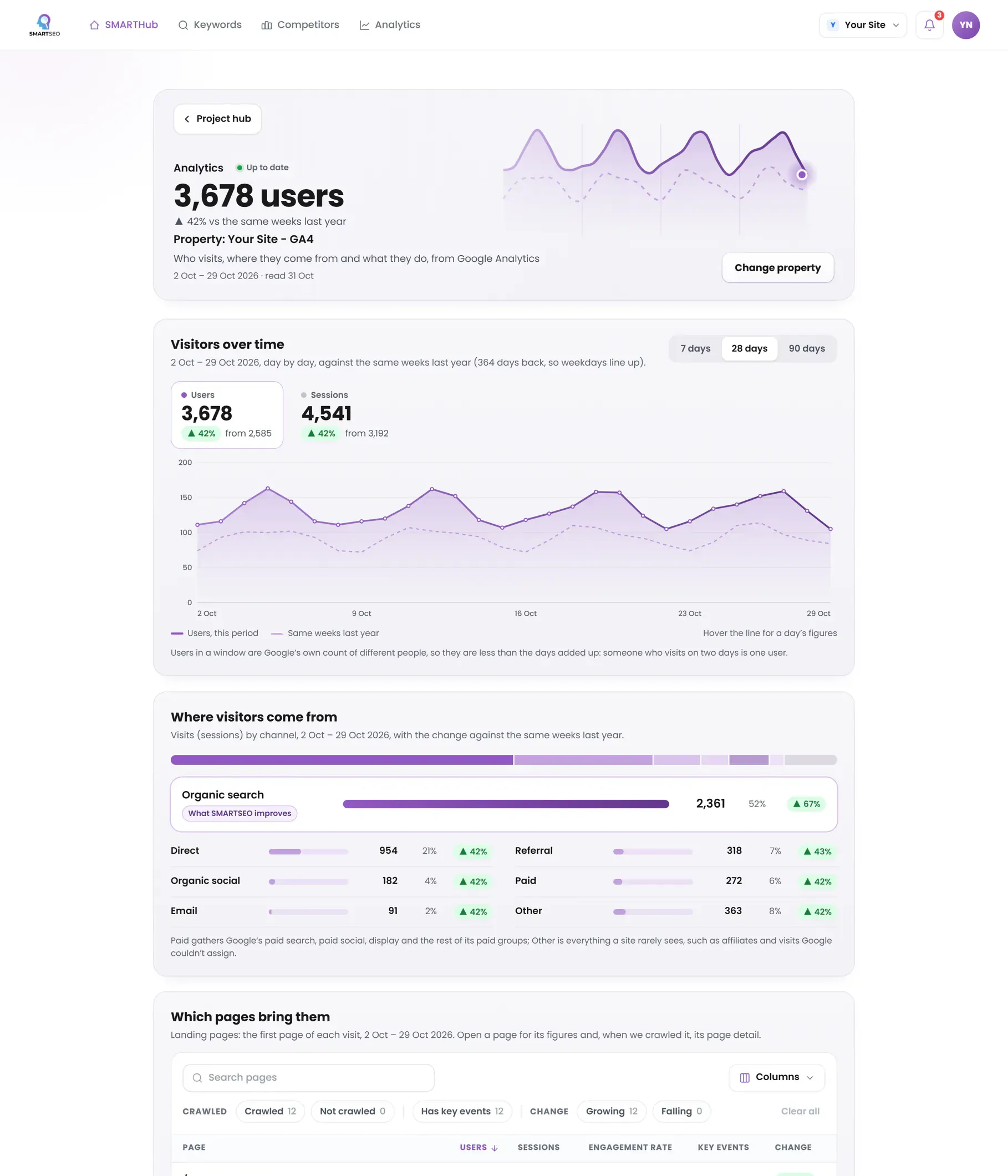
Connect Google Analytics to SMARTSEO and see your traffic in plain words: organic visits in a typical week against the same weeks a year earlier, the channels and landing pages that bring people, and your sales if you sell online. If your site sells online and GA4 receives no ecommerce events, the SMARTSEO Score marks the gap.
The problems we find most often
These come from hands-on work, not from the app’s checks. Open one to see what it looks like and how to fix it.
CommonData retention left at two months
- What we see
- Explorations can't look back further than two months.
- How to fix it
- In Admin, Data collection and modification, Data retention, raise event data retention to the longest your property allows. It doesn't apply to data already expired.
CommonKey events not marked
- What we see
- Leads and purchases are tracked as events but never marked as key events, so acquisition reports show no conversions.
- How to fix it
- Mark the events that matter as key events, and import them into Google Ads if you advertise.
CommonInternal traffic counted
- What we see
- Your own team's visits inflate traffic and skew engagement.
- How to fix it
- Define internal traffic by IP address in the data stream's settings and activate the internal traffic filter.
CommonEcommerce events with the wrong names
- What we see
- Purchases sent as purchase_complete or order, so the monetization reports stay empty.
- How to fix it
- Use GA4's exact event names (view_item, add_to_cart, begin_checkout, purchase) with an items array and a value.
Questions people ask
How do I set up GA4?
Create a GA4 property, add a web data stream for your site, and install the Google tag on every page, directly or through Google Tag Manager. Then define your key events and check them in Realtime while you test.
What happened to Universal Analytics?
Google stopped it collecting data on 1 July 2023 (2024 for the paid 360 version) and has since removed access to its data. GA4 is the only version of Google Analytics now.
Why are my GA4 numbers lower than my server logs?
GA4 counts visitors whose browsers run its tag and, where consent is required, who allowed it. Bots, ad blockers and refused consent are missing from GA4 but present in server logs.
How long until GA4 shows data?
Realtime shows visits within seconds. The standard reports take a day or two to process, so judge a change after 48 hours, not the same afternoon.
What we do for you
- A GA4 property set up or audited, with data retention and filters right
- Key events and ecommerce tracking through Google Tag Manager
- Google Ads and Search Console linked to GA4
- Reports and explorations built around your questions