
On this page
What display ads are
Google’s Display Network and Microsoft’s audience network place them across thousands of sites; you choose who sees them through audiences (interests, in-market behavior, your own visitor lists) and, if you like, specific placements.
Where search ads meet demand, display ads create it or remind it.
That makes them good at two things: putting your brand in front of people likely to need it soon, and bringing back visitors who left without acting, which is remarketing.
What makes display work
Honest measurement. Clicks on display are noisy and view-through conversions flatter it. Judge it on conversions you can attribute, and test with and without.
How to check it yourself
- Sort placements by cost.
In Google Ads, open the placements report for your display campaigns and sort by cost.
- Check engagement for that traffic.
Look at engagement in Google Analytics for the same traffic: sessions that end in seconds point to bad placements or a page that doesn't load fast enough.
- Watch your landing page load.
Then open your landing page on a phone and watch it load. If content jumps as images arrive, they need a width and height.
Before and after: an image without dimensions
Example for illustration; not a client's data.
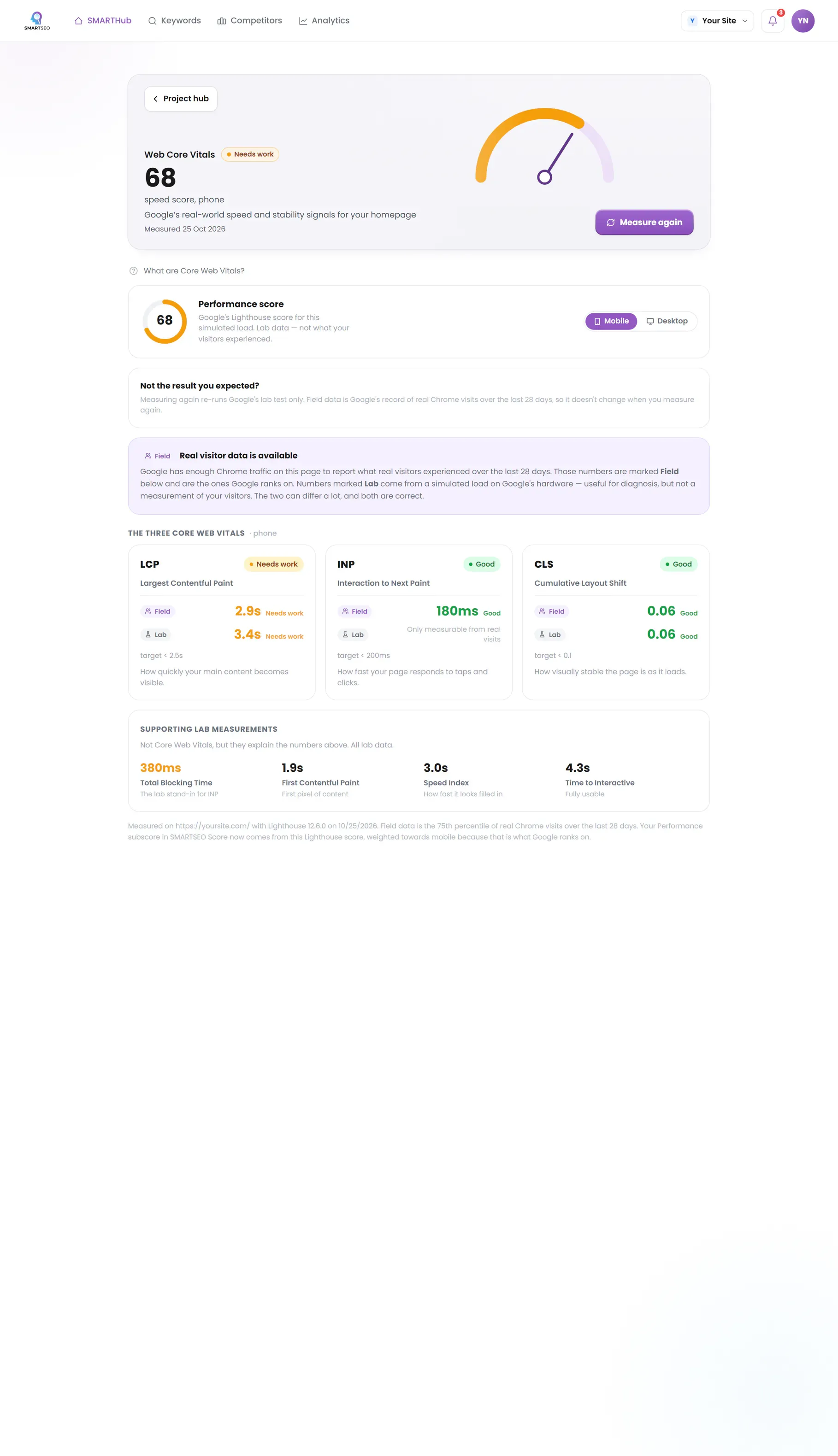
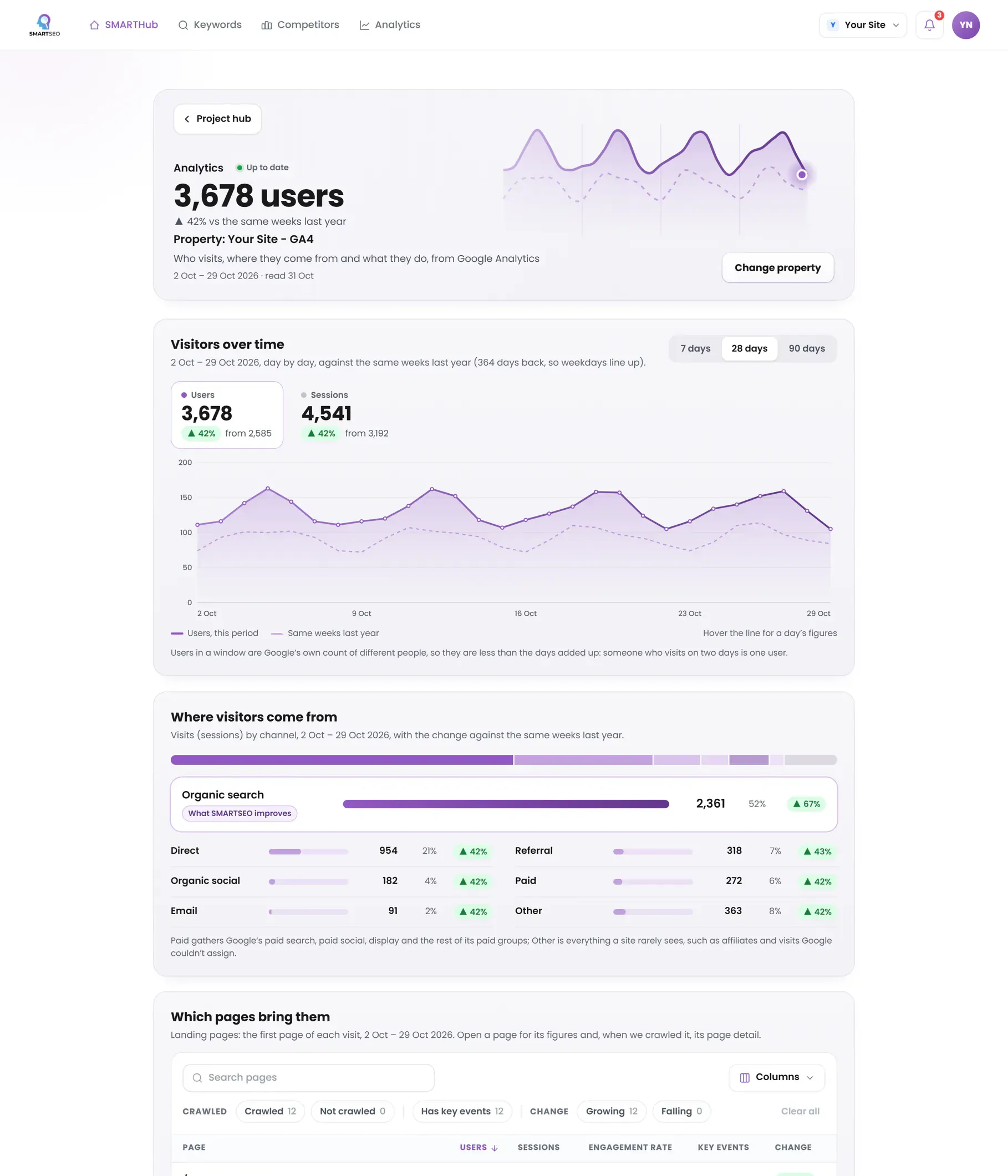
SMARTSEO flags images without dimensions on every page it reads and measures script weight on your homepage, and with Google Analytics connected shows where your visits come from and how they compare with the same weeks a year ago.
The problems we find most often
Each of these is a check SMARTSEO runs on every scan, in the words the app uses. Open one to see what triggers it and how to fix it.
NoticeImages without width and height
- What triggers it
- An image has no width and height, so the page can’t reserve its space.
- Why it matters
- Without a width and height the browser can't hold space for an image, so the page jumps as it loads (that jump is what CLS measures).
- How to fix it
- Give each image width and height attributes, or a size in CSS.
NoticePage is busy with scripts (TBT)
- What triggers it
- Scripts block your homepage for more than 600 ms in total (lab).
- Why it matters
- Total Blocking Time is how long scripts stop the page responding while it loads. It's the lab's stand-in for how quickly a page reacts to a tap.
- How to fix it
- Defer or remove heavy JavaScript.
WarningMissing mobile viewport tag
- What triggers it
- A page has no mobile viewport meta tag.
- Why it matters
- Most searches happen on phones; without a viewport tag the page renders as a shrunken desktop layout, hurting the mobile Experience.
- How to fix it
- Add <meta name="viewport" content="width=device-width, initial-scale=1"> to the head of every page.
Where display traffic lands
Display visitors arrive curious, not searching, and leave fast if the page fights them. On our own WordPress site most pages had images with no width and height, which lets the layout jump as they load, the moment a new visitor is deciding whether to stay.
SMARTSEO’s own project for its own site, read from stored data on October 28, 2026.
Questions people ask
What is the Google Display Network?
The websites, apps and Google properties such as YouTube and Gmail where Google can place image, video and responsive ads. Google describes it as reaching the large majority of internet users, which is why targeting matters more than reach.
Do display ads work for small businesses?
Remarketing usually does: showing ads to people who already visited your site. Cold prospecting on display is harder to make pay for a small budget, because the audience isn't searching for you. Start with remarketing and measure conversions, not clicks.
What is a view-through conversion?
A conversion from someone who saw your ad but didn't click it and converted later. It is useful as a hint, but it overstates display's effect if you count it like a click. Compare against a period or audience without the ads.
Why are my display clicks so cheap?
Because many come from placements where people click by accident, often in mobile apps. Check the placements report and exclude the sites and apps that send clicks that never stay.
What we do for you
- Remarketing audiences built from your analytics
- Placement and audience targeting that keeps budget off accidental clicks
- Creative in the sizes and formats each network needs
- Measurement that separates real lift from view-through noise